
 Direct Answer
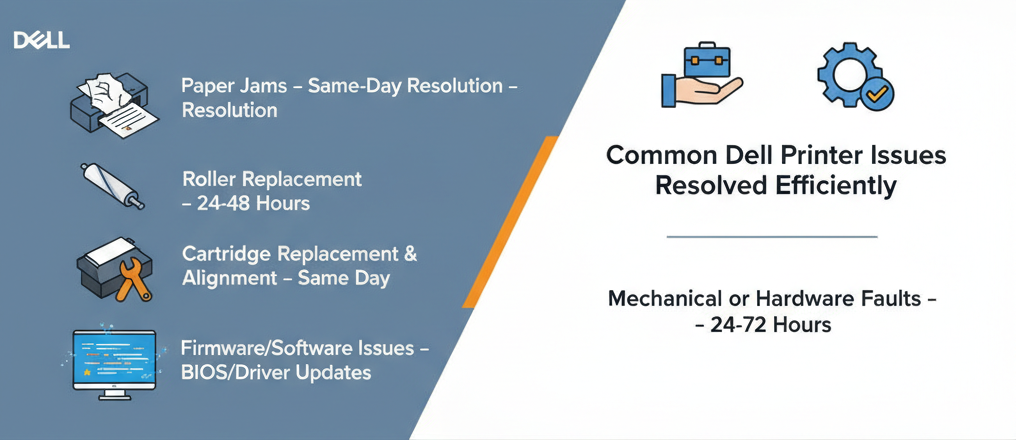
To ensure your Dell printer repairs are done right the first time, always choose an authorized Dell Service Center. Trusted branches in Nagpur (Dhantoli & Manewada), Chandrapur, and Raipur offer certified technicians, genuine parts, fast diagnostics, and warranty-backed service. Minor issues like paper jams, roller replacements, and cartridge repairs are often resolved the same day, while complex repairs may take 24–72 hours.
SummaryAuthorized Dell Service Centers provide efficient, reliable, and first-time-right printer repairs. Key highlights:
- Certified Technicians: Expertise in Dell printer models
- Genuine Parts: Maintains printer longevity and warranty
- Fast & Accurate Repairs: Same-day minor fixes and 24–72 hour major repairs
- Pickup & Drop Services: Hassle-free repair process
- Transparent Pricing & Warranty: 3–12 months depending on service
Frequent printer issues can disrupt office work or home tasks. Choosing authorized Dell Service Centers ensures repairs are done correctly the first time, reducing downtime and repeat visits.
Common Dell Printer Issues Resolved EfficientlyAuthorized centers guarantee genuine Dell parts, reducing repeat failures.
- Contact the service center: Call or WhatsApp describing the printer issue.
- Preliminary assessment: Determine whether the repair is minor or requires advanced diagnostics.
- Schedule pickup/drop: Convenient home or office pickup if needed.
- Written estimate: Confirm cost, parts, and expected completion.
- Certified repair: Technicians use genuine Dell parts.
- Quality assurance: Thorough testing to ensure problem resolution.
- Handover & documentation: Invoice, warranty card, replaced part info.
- Follow-up: Warranty-supported minor issues.
- Printer repairs: ₹1,000–₹4,000 depending on model and part
- Warranty: 3–12 months depending on repair/service
- Remove sensitive documents from printers.
- Backup configuration settings if needed.
- Photograph printer condition before repair.
- Confirm data and device safety protocols.
- Verify Dell authorization.
- Ask about first-time-right repair guarantee.
- Photograph printer before drop-off.
- Track repair status via phone or WhatsApp.
- Keep invoice and warranty card.
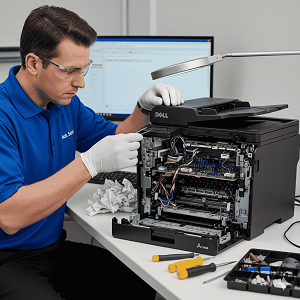
For Dell printer repairs done right the first time, always choose an authorized service center. Branches in Nagpur (Dhantoli & Manewada), Chandrapur, and Raipur provide certified technicians, genuine parts, fast and accurate diagnostics, pickup/drop services, transparent pricing, and warranty-backed repairs. This ensures your printer works reliably without repeat issues.